A lot of times color makes it better but black & white could still be appreciated. Here is a board I created in Pinterest called Black & White…
https://www.pinterest.com/fahmeenaodetta/black-white/
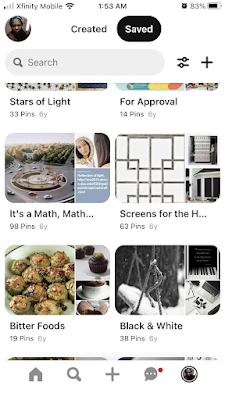
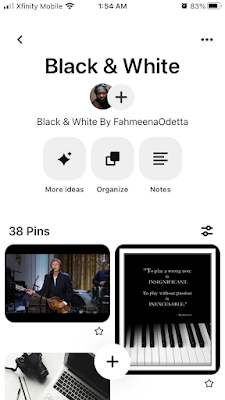
A lot of times color makes it better but black & white could still be appreciated. Here is a board I created in Pinterest called Black & White…
https://www.pinterest.com/fahmeenaodetta/black-white/
Still thinking about my blog names....
I found some good information in my 'What's in a name' board on Pinterest (https://www.pinterest.com/fahmeenaodetta/whats-in-a-name/). One pin led me to the website https://markosaric.com/blog-name/ that includes this information on how to choose a blog name:
Make it personal. Name your blog by your full name. This creates a more personal and warm presence.
It also helps you build a personal brand which could lead to conference talks and even book publishing deals.
It’s also a great method if you switch between different topics you focus on as your name will always fit any project that you’re doing.
It’s not for everyone though as some won’t be too comfortable about putting themselves in the spotlight that much.
And that’s it. That’s how to come up with a great blog name and the domain name.
Now that you have a list of ideas, imagine that you share your domain name to a person you meet at a conference.
I like that 'What's in a name' board. It collects very useful information on names, including the idea that one's name could affect one's chances of landing a job.
Isn't it interesting that I have a unique name? And, it is full of double letters too - fahmEEna odeTTa mOOre.

One of my LinkedIn articles (https://www.linkedin.com/pulse/separate-tracking-changes-social-media-account-fahmeenaodetta-moore/) reminded me that Facebook provides an Activity Log that provides details of changes to a Facebook account. I like the Log. It provides valuable information such as details on each login to my Facebook account, the posts and comments I am tagged in, and the people who follow my account and when they started.
There is still the need for additional change tracking. For example, I still see the need to track changes to a Pinterest account. I single out Pinterest because, a long time ago, I created a Change Tracker Document for my main Pinterest account - available at: https://docs.google.com/document/d/1EHEu8Zl4J35n0iOvC51z2V7B5SLC1a2yrdvMeEzItrk/edit. The information/history contained in the document is very valuable.
And, I still believe that tracking changes to a social media account could help to identify unauthorized posts and unauthorized edits (defacing of posts and so on). However, it seems that the changes need to be tracked in a separate document that is controlled by the user.
LINKS:
https://www.facebook.com/USERID/allactivity?activity_history=false&category_key=LOGINSLOGOUTS&manage_mode=false&should_load_landing_page=false
(Activity Log Home_Activity You're Tagged In_Logged Actions and Other Activity)
https://www.facebook.com/USERID/allactivity?activity_history=false&category_key=MANAGEYOURTAGS&manage_mode=true&should_load_landing_page=false
(Activity Log Home_Activity You're Tagged In_Posts and comments you're tagged in)
https://www.facebook.com/USERID/allactivity/?category_key=review&log_filter=review&manage_mode=false
(Activity Log Home_Timeline, Photo, and Tag Review_Review Posts You're Tagged In)
https://www.facebook.com/USERID/allactivity?activity_history=false&category_key=FOLLOWERS&manage_mode=false&should_load_landing_page=false
(Activity Log Home_Connections_Followers)